Building Uber-like Geolocation Features in React Native
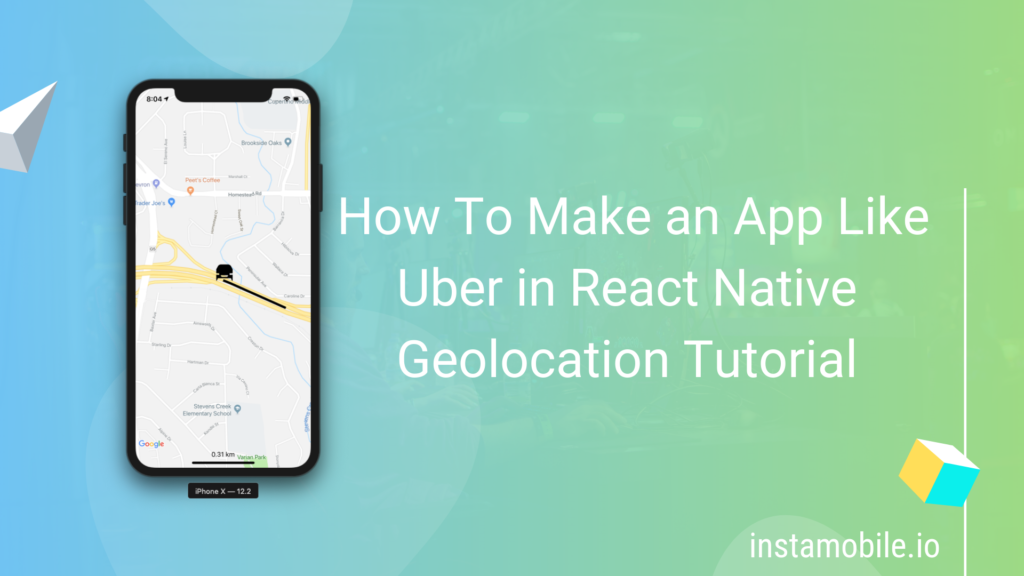
Uber-like geolocation is not one feature. It is a system: rider location, pickup selection, driver availability, dispatch logic, live tracking, routes, ETA, push notifications, backend state, privacy disclosures, and cost controls.
React Native can handle the mobile UI and device location layer well, but a serious ride-hailing or delivery app should not depend only on client-side GPS updates. The backend must own trip state, driver assignment, pricing rules, and abuse protection.
Quick Answer
To build Uber-like geolocation features in React Native:
- Render maps with
react-native-maps. - Request foreground location before showing current user position.
- Request background location only for active driver/delivery sessions.
- Send throttled driver coordinates to your backend.
- Store trip state server-side.
- Use a routing provider for ETA, distance, and route geometry.
- Use push notifications for dispatch and status updates.
- Restrict Maps API keys and monitor billing.
- Test location behavior on real devices before release.
If you are using an Instamobile taxi or delivery app, start with the app guide:
- Taxi App Getting Started
- Taxi Firebase Tables
- Uber Eats Driver App
- Order Tracking and Driver Dispatching
The Core Architecture
A ride-hailing or live delivery feature usually has these parts:
| Layer | Responsibility |
|---|---|
| Rider app | Pickup/dropoff selection, fare preview, trip request, live trip view. |
| Driver app | Availability, order/ride acceptance, active trip tracking, status updates. |
| Backend | Driver matching, trip state, distance rules, pricing, notifications, audit trail. |
| Maps provider | Map display, routes, geocoding, address autocomplete, distance/ETA. |
| Firebase or realtime store | Live trip status and selected location updates. |
| Push notifications | New ride/order alerts and trip state changes. |
Do not make the rider app assign drivers directly. The backend should validate availability, distance, permissions, rate limits, and business rules.
Ship faster with All Access. Get the React Native templates, admin panels, updates, and launch bonuses that help you build faster.
Explore All AccessRender the Map
Use react-native-maps for the native map surface:
import MapView, { Marker, Polyline, PROVIDER_GOOGLE } from 'react-native-maps';

export function TripMap({ driver, pickup, dropoff, route }) {
  return (
    <MapView
      provider={PROVIDER_GOOGLE}
      style={{ flex: 1 }}
      initialRegion={{
        latitude: pickup.latitude,
        longitude: pickup.longitude,
        latitudeDelta: 0.06,
        longitudeDelta: 0.06,
      }}
    >
      <Marker coordinate={pickup} title="Pickup" />
      <Marker coordinate={dropoff} title="Dropoff" />
      {driver ? <Marker coordinate={driver} title="Driver" /> : null}
      {route ? (
        <Polyline
          coordinates={route.coordinates}
          strokeColor="#111827"
          strokeWidth={5}
        />
      ) : null}
    </MapView>
  );
}
Configure Android and iOS maps keys carefully. For details, read React Native Maps Integration.
Request Location Permission
For rider pickup selection, foreground location is usually enough:
import * as Location from 'expo-location';

export async function getPickupLocation() {
  const permission = await Location.requestForegroundPermissionsAsync();

  if (permission.status !== 'granted') {
    return null;
  }

  const current = await Location.getCurrentPositionAsync({
    accuracy: Location.Accuracy.Balanced,
  });

  return {
    latitude: current.coords.latitude,
    longitude: current.coords.longitude,
  };
}
For drivers, background location may be justified only while the driver is online or actively delivering. Ask incrementally: foreground first, then background only when the driver turns on availability or starts a trip.
Read React Native Location Services for the permission checklist.
Track Driver Movement
When the driver is active, watch position changes and send throttled updates to the backend.
import * as Location from 'expo-location';

type DriverLocation = {
  latitude: number;
  longitude: number;
  heading: number | null;
  speed: number | null;
  accuracy: number | null;
};

export async function watchActiveDriver(
  onLocation: (location: DriverLocation) => Promise<void>
) {
  const permission = await Location.requestForegroundPermissionsAsync();

  if (permission.status !== 'granted') {
    return null;
  }

  return Location.watchPositionAsync(
    {
      accuracy: Location.Accuracy.High,
      distanceInterval: 25,
      timeInterval: 5000,
    },
    async (position) => {
      await onLocation({
        latitude: position.coords.latitude,
        longitude: position.coords.longitude,
        heading: position.coords.heading,
        speed: position.coords.speed,
        accuracy: position.coords.accuracy,
      });
    }
  );
}
Do not write every GPS tick to Firestore without a plan. High-frequency writes can increase cost and create noisy UI. Throttle updates, store only useful points, and stop tracking when the trip ends.
Store Trip State Server-side
A trip or delivery should have explicit state transitions:
requested
accepted
driver_en_route
arrived_at_pickup
in_progress
arrived_at_dropoff
completed
cancelled
The backend should decide whether a transition is valid. For example:
- a driver cannot complete a trip they did not accept;
- a rider cannot assign a driver directly;
- a cancelled trip should stop location updates;
- pricing should not trust client-only distance;
- location history should have retention rules.
Firebase-backed apps should review Firestore rules, indexes, Functions, and push notification triggers before release.
Routes, ETA, and Distance
There are two distances:
| Distance type | Use it for |
|---|---|
| Haversine/direct distance | Rough proximity, simple dispatch filtering, map hints. |
| Routed distance | ETA, fare estimate, route preview, delivery planning. |
Use direct distance for quick filtering, then use a routing provider for the route candidates that matter.
For route display:
- send origin/destination to your backend;
- backend calls a routing API;
- backend returns route coordinates, ETA, and distance;
- app renders a
Polyline.
See Draw Directions on Maps in React Native for route rendering details.
Dispatch Logic
Simple dispatch starts with nearby available drivers:
1. Rider requests trip.
2. Backend finds online drivers within the search radius.
3. Backend sorts by distance, availability, vehicle type, rating, or app rules.
4. Backend sends offer to one or more drivers.
5. Driver accepts.
6. Backend locks the trip to that driver.
7. Rider receives live driver status.
For production, also handle:
- driver timeout;
- rejected offers;
- cancelled rides;
- duplicate accepts;
- unavailable drivers;
- stale locations;
- fraud/spam attempts;
- push delivery failure.
The Taxi Firebase Tables guide covers the data setup side for Instamobile taxi apps.
Privacy and Store Review
Ride and delivery apps collect sensitive location data. Keep the product transparent.
Before release:
- explain why the app needs foreground location;
- explain why background location is needed, if enabled;
- let drivers go offline;
- stop tracking when the trip ends;
- avoid collecting rider location in the background unless the feature requires it;
- document location use in privacy policy and store forms;
- keep retention limited to product, safety, support, and legal needs.
iOS and Android both inspect location behavior during review. If the permission prompt says one thing and the app does another, expect review or trust problems.
Maps and Location Cost Controls
Ride-hailing and delivery apps can generate a lot of map usage.
Control costs by:
- restricting API keys;
- separating Android, iOS, and backend keys;
- setting quotas and budget alerts;
- debouncing address search;
- caching route previews;
- recalculating route only when movement is meaningful;
- reducing Firestore write frequency;
- using geohash or location indexes for nearby search;
- monitoring cost per active trip.
Do not wait until production traffic to understand map, route, Places, and Firestore costs.
Real-device Testing Checklist
Test with at least one rider device and one driver device:
- Rider can set pickup manually.
- Rider can use current location.
- Driver can go online and offline.
- Driver location updates while the app is foregrounded.
- Background tracking works only when intentionally enabled.
- Push notification reaches available driver.
- Driver accept locks the trip.
- Route preview renders.
- Trip state updates on both devices.
- Cancelled trip stops active tracking.
- Android approximate location behavior is acceptable.
- iOS permission prompts use clear product copy.
- API key restrictions work on signed release builds.
Use the React Native App Release Checklist before store submission.
Useful Links
- Taxi App Getting Started
- Taxi Firebase Tables
- Uber Eats Driver App
- Order Tracking and Driver Dispatching
- Location Core Module
- React Native Maps Integration
- React Native Location Services
- Google Maps Platform API security guidance
- Google Maps Platform cost management
Looking for a custom mobile application?
Our team of expert mobile developers can help you build a custom mobile app that meets your specific needs.
Get in TouchFAQ
Can I build an Uber-like app with only React Native?
React Native can build the mobile apps, but you still need backend services for driver dispatch, trip state, notifications, pricing, security, and auditing.
Should drivers use background location?
Only while they are online or actively handling a ride/order, and only with clear permission copy and controls. Stop tracking when the driver goes offline or the trip ends.
Should distance and pricing be calculated on the phone?
Use the phone for display and rough previews. The backend should own pricing, trip records, and final distance validation.
Why does tracking work in simulator but fail in production?
Common causes include missing permission strings, background mode not configured, API key restrictions, battery optimizations, push token issues, or testing only with debug builds.
Conclusion
Uber-like geolocation in React Native is a coordinated product system. Build the map and tracking UI with React Native, but keep dispatch, route validation, pricing, permissions, and cost control deliberate. The result is safer, easier to review, and more reliable when real riders and drivers start using it.