React Native Hermes: Performance Optimization
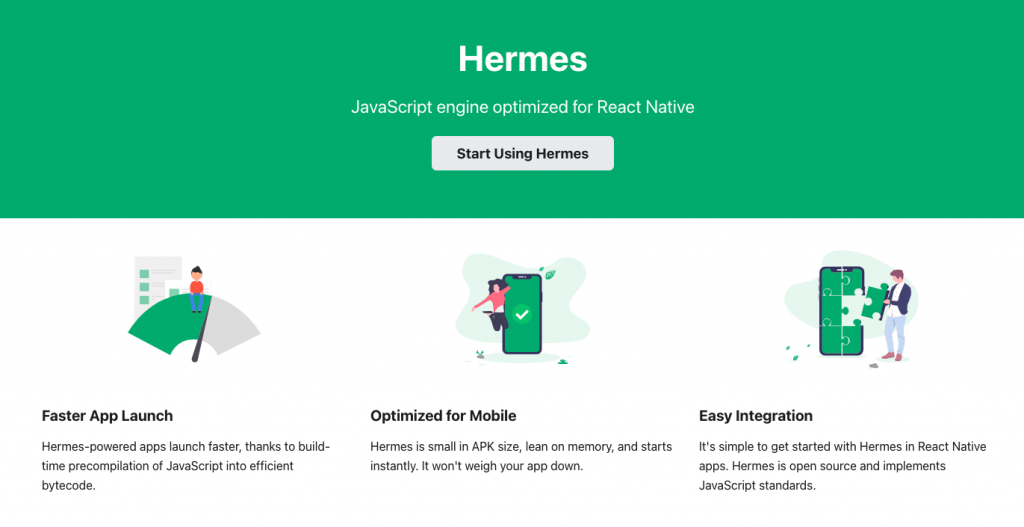
Hermes is the JavaScript engine optimized for React Native. In modern React Native and Expo projects, Hermes is the default path for most apps, so the real question is no longer "How do I turn Hermes on?" It is "How do I confirm Hermes is working, benchmark the app properly, and avoid update/runtime mismatches?"
Quick Answer
Hermes is enabled by default in modern React Native apps, including current
Instamobile app packages. Confirm it in JavaScript with global.HermesInternal,
measure performance on release builds, and treat React Native/Hermes changes as
native runtime changes when using over-the-air updates.
export function isHermesEnabled() {
  return !!global.HermesInternal;
}
For the local baseline, see the current React Native stack. For release testing, use the React Native release checklist.
What Hermes Improves
Hermes can improve:
- startup time;
- memory usage;
- JavaScript bundle execution behavior;
- debugging through the modern React Native DevTools path;
- performance on lower-end Android devices.
The exact benefit depends on your app. A tiny demo app may not show meaningful startup improvement, while a production app with more JavaScript often will. Always measure your own release build.
Confirm Hermes Is Running
You can check the Hermes global:
const hermesEnabled = !!global.HermesInternal;
Log it in development, not as a production analytics signal:
if (__DEV__) {
  console.log('Hermes enabled:', !!global.HermesInternal);
}
React Native's welcome screen also shows the JavaScript engine for fresh apps, but production apps should use explicit checks and release-build profiling.
Ship faster with All Access. Get the React Native templates, admin panels, updates, and launch bonuses that help you build faster.
Explore All AccessDo Not Manually Match Hermes Versions
Older tutorials often told developers to match a standalone Hermes version to the React Native version. Modern React Native bundles a compatible Hermes build with React Native itself. That means you usually update Hermes by updating React Native, not by manually swapping Hermes packages.
If your app uses Expo modules or EAS Update, also keep runtimeVersion aligned
with native runtime changes. A JavaScript update generated for one Hermes bytecode
runtime should not be delivered to an incompatible native binary.
How to Benchmark Hermes
Benchmark release builds, not debug builds. Debug tooling changes startup time, bundle loading, and JavaScript execution.
Measure:
- cold start time on a real device;
- memory usage after the first screen is interactive;
- time to first useful screen;
- heavy screens such as feeds, maps, chat, checkout, and media;
- bundle/update size when you use OTA updates.
For Android, use Android Studio Profiler, Logcat startup signals, and release builds. For iOS, use Xcode Instruments and release or profiling builds. Compare the same app flow on the same physical device.
Debugging Hermes Apps
Hermes supports the modern React Native debugging path. For Expo development builds, start the project and open the JavaScript debugger from the CLI or developer menu. This debugs JavaScript running on the device instead of running the app logic inside a desktop browser tab.
If DevTools says no compatible apps are connected:
- confirm Hermes is enabled;
- confirm the app is a debug/development build;
- reload the app from Metro;
- check that the device can reach the Metro server;
- restart Metro if the inspector list is stale.
Hermes and React Native Performance
Hermes is only one part of performance. For a real production app, also review:
- unnecessary re-renders;
- oversized startup bundles;
- expensive list rendering;
- large images and video thumbnails;
- unbounded realtime listeners;
- slow Firebase or API calls on startup;
- animation work on the JavaScript thread.
Hermes helps the JavaScript runtime, but it will not fix an app that fetches too much data, renders huge lists without virtualization, or blocks startup with unnecessary work.
When Would You Disable Hermes?
Disabling Hermes is uncommon for current apps. Consider it only when a specific library, native integration, or debugging requirement is proven incompatible and you have a tested fallback. Treat the change as a native runtime change and test release builds on both platforms.
Looking for a custom mobile application?
Our team of expert mobile developers can help you build a custom mobile app that meets your specific needs.
Get in TouchFAQ
Is Hermes enabled by default?
Yes in modern React Native and Expo projects. Check your app's current stack and config before changing anything.
Does Hermes always make an app faster?
No engine guarantees a win for every metric in every app. Measure release builds on representative devices and flows.
Can OTA updates break with Hermes?
They can if an update is generated for a Hermes/runtime combination that does not match the installed binary. Keep runtime versioning aligned with native changes.