Instamobile React Native Templates Are Now TypeScript-First
We have completed a major update across the current Instamobile React Native templates. The new baseline is TypeScript-first, aligned with the latest React Native and Expo ecosystem direction, and documented with a cleaner path from setup to production verification.
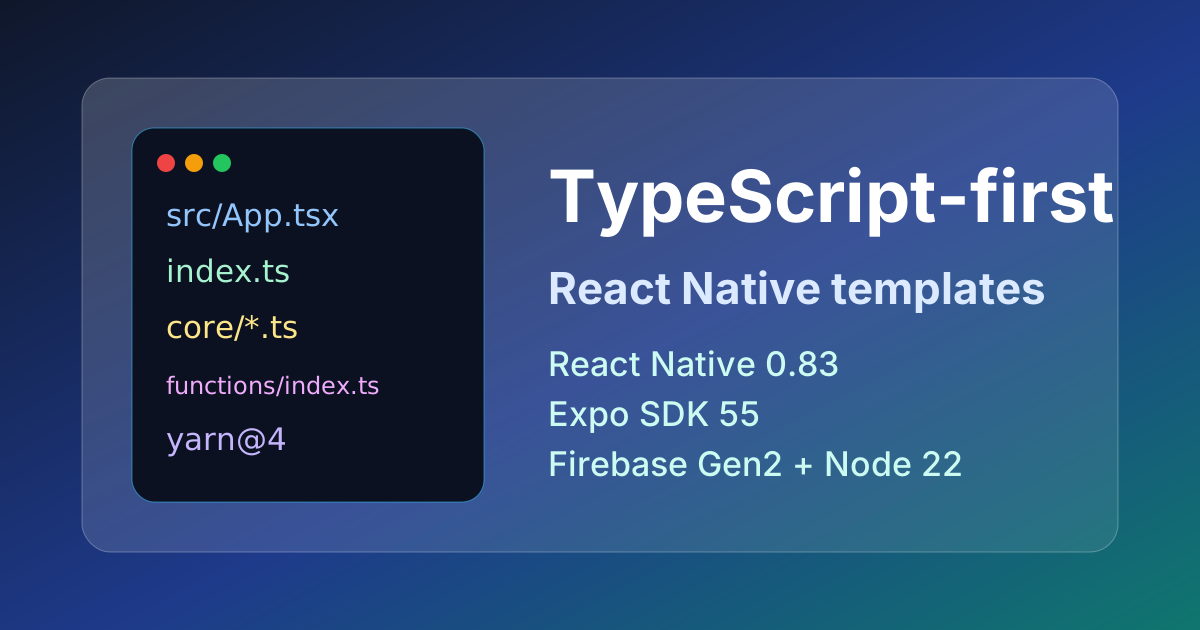
This update is designed for teams who want to start from a modern mobile codebase without spending the first week upgrading tooling, untangling dependency drift, or converting core app files by hand.
Ship faster with All Access. Get the React Native templates, admin panels, updates, and launch bonuses that help you build faster.
Explore All AccessWhat Changed
The current Instamobile React Native templates now use a modern TypeScript app structure:
- app code lives in
.tsand.tsxfiles; src/App.tsx,src/AppContent.tsx,src/config/,src/core/, and navigation files are documented as the primary places to customize the app;index.tsowns the TypeScript app entrypoint;index.jsremains only as the small React Native CLI bootstrap file;- Firebase Functions projects use TypeScript entrypoints when backend code is included.
React Native's own documentation now treats TypeScript as the default target for new projects, while still supporting JavaScript where needed. That direction matches how real teams are building larger React Native apps today: typed configuration, safer refactors, easier onboarding, and better editor support.
Updated Runtime Stack
The current stack is centered on:
- TypeScript-first React Native app code;
- Yarn 4 with Corepack for repeatable installs;
- React Native 0.85 and React 19.2;
- Expo SDK 56 for Expo modules and native capabilities;
- Firebase Cloud Functions Gen2 on Node 22;
- Firebase Secret Manager for sensitive backend values;
- App Check guidance for Firebase-backed apps.
React Native 0.85 keeps React 19.2 in the baseline and moves the native tooling, Jest preset, and New Architecture assumptions forward. Expo SDK 56 includes React Native 0.85 and React 19.2. For teams building from templates, this matters because the starting point is now closer to the current ecosystem instead of a legacy JavaScript setup that has to be modernized before product work can begin.
AI Agent Skills Are Included
The current app packages also include local AI agent skills. These are plain markdown workflows that help AI coding assistants understand the project, customize it safely, connect services, test important flows, and prepare store builds.
They cover practical tasks such as:
- first-pass app orientation;
- local iOS and Android setup;
- Firebase setup and environment configuration;
- data model changes;
- authentication and social login;
- Firestore and Storage security rules;
- branding, themes, icons, and splash screens;
- release-readiness testing;
- App Store and Google Play preparation.
The skills are designed to work with AI coding tools that can read local project files, including Codex, Claude Code, Cursor, Windsurf, and similar environments. You can read the full guide here:
Better Dependency Reproducibility
The setup flow now assumes Corepack and Yarn 4:
corepack enable
corepack yarn install --immutable
corepack yarn start
That gives teams a more predictable install path. Instead of depending on a globally installed package manager version, the project can declare the package manager it expects. This is especially useful for React Native apps, where native dependencies, Expo modules, CocoaPods, Gradle, and Metro all need to agree on the same dependency graph.
Firebase Documentation Was Modernized Too
Firebase-backed templates now have clearer setup documentation for the current Firebase model:
- deploy Functions from TypeScript projects;
- use Gen2 Functions where applicable;
- run on Node 22;
- store sensitive backend values with Secret Manager;
- use App Check debug tokens for simulator and emulator testing;
- verify auth, media upload, feed, chat, payments, and other backend-backed features after configuration.
This is important for apps such as social networks, chat apps, dating apps, marketplaces, food delivery, taxi, bookings, and AI-powered apps, where backend configuration is part of the product experience.
Cleaner Docs for Current and Legacy Customers
The main documentation now points to the current TypeScript stack:
- Current React Native Stack
- React Native App File Structure
- Set Up Your React Native CLI Environment
- Configure Firebase
- Deploy Firebase Functions
We also kept a minimal legacy path for customers who are maintaining older JavaScript-based projects:
The goal is simple: new projects should follow the TypeScript-first docs, while older projects can still follow the README and lockfile that shipped with their specific app package.
Looking for a custom mobile application?
Our team of expert mobile developers can help you build a custom mobile app that meets your specific needs.
Get in TouchWhat This Means for App Teams
If you are starting a new product with Instamobile, this update should reduce the amount of setup and modernization work needed before you can focus on the actual app:
- safer customization through TypeScript;
- more predictable installs through Yarn 4 and Corepack;
- clearer Firebase backend setup;
- current React Native and Expo versions;
- documentation that matches the files you will edit first.
If you already have an older Instamobile project, you do not need to rewrite it just because the current templates are TypeScript-first. Use the docs that match your project package, and move to the current stack when you are ready to upgrade the app.
Useful Official References
For the wider ecosystem context, these official resources are worth reading:
- React Native: Using TypeScript
- React Native 0.85 announcement
- Expo SDK 56 changelog
- Firebase Functions environment configuration and secrets
- Corepack package manager versioning
Start from the Updated Docs
Start with the current React Native stack and the file structure guide, then follow the setup guide for the specific app template you are using.
The update is now live across the current Instamobile React Native documentation, and it gives new projects a cleaner foundation for production mobile app development.