Debugging React Native Apps with Breakpoints
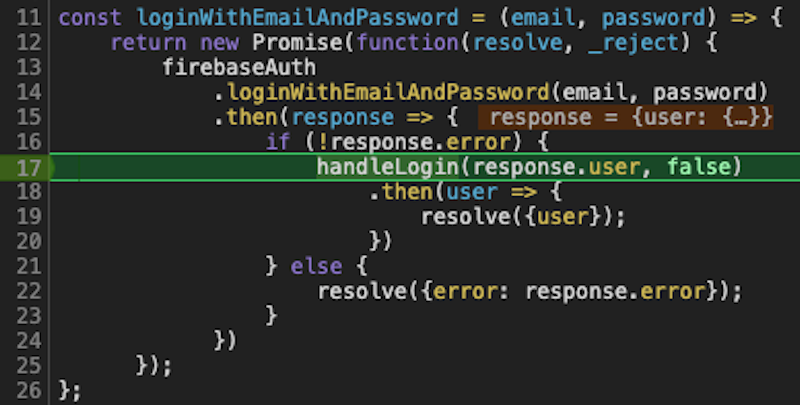
Breakpoints are still one of the fastest ways to understand a React Native bug. The tool has changed: for modern React Native apps, start with React Native DevTools instead of old remote Chrome debugging or standalone React Native Debugger workflows.
Quick Answer
Start Metro, open the Dev Menu, choose React Native DevTools, open the Sources panel, and add a breakpoint in the JavaScript or TypeScript file you want to inspect. Use conditional breakpoints and logpoints when the code runs too often.
If the bug is native, use Xcode or Android Studio. If it only happens in a release build, reproduce it in a release-like build and inspect native logs.
JavaScript Breakpoints
Use JavaScript breakpoints for:
- screen lifecycle bugs;
- data transformation bugs;
- navigation state issues;
- Firebase response handling;
- form validation;
- API client behavior;
- state management problems.
Basic workflow:
- Run the app with Metro.
- Open the Dev Menu.
- Open React Native DevTools.
- Go to Sources.
- Find the file.
- Click the line number.
- Reproduce the action.
- Inspect scope, call stack, and variables.
Ship faster with All Access. Get the React Native templates, admin panels, updates, and launch bonuses that help you build faster.
Explore All AccessConditional Breakpoints and Logpoints
If a breakpoint fires too often, make it conditional. For example:
user?.id === targetUserId
Use logpoints when stopping the app would disturb the flow:
postId, uploadState, error?.message
Logpoints are useful for upload, chat, feed pagination, and analytics flows where timing matters.
Native Breakpoints
Use Xcode or Android Studio when the problem is:
- a native crash;
- a permission prompt;
- a module initialization issue;
- a CocoaPods or Gradle integration bug;
- a crash before the JavaScript bundle loads;
- camera, audio, video, maps, or push notification behavior.
React Native DevTools cannot debug code that never reaches the JavaScript runtime.
Breakpoints in Generated Apps
For Instamobile projects, confirm where the source of truth is before editing. Fixes made only inside generated release folders can be overwritten when a new release is generated. Prefer source folders and shared core modules unless you are testing a generated release artifact.
FAQ
Should I debug with console logs or breakpoints?
Use both. Logs are good for long-running flows; breakpoints are better when you need exact state at a specific line.
Why does my breakpoint not hit?
Check that Metro is connected, source maps are loaded, the app is running the file you edited, and the code path is actually executed.
Can breakpoints affect timing bugs?
Yes. A breakpoint pauses execution and can hide race conditions. Use logpoints or performance traces when timing is the bug.
Useful References
Looking for a custom mobile application?
Our team of expert mobile developers can help you build a custom mobile app that meets your specific needs.
Get in TouchConclusion
Breakpoints remain essential, but the recommended workflow is React Native DevTools for JavaScript and native tooling for platform code. Use conditional breakpoints and logpoints to debug real app flows without turning every bug into a stop-and-refresh loop.