Dating App Builder
Have you ever wondered how to make a dating app like Tinder? This tutorial walks through building a fully functional React Native Tinder clone with our premium dating app template. No coding is required for the basics, and by the end you can submit to the Play Store and App Store.
Preview
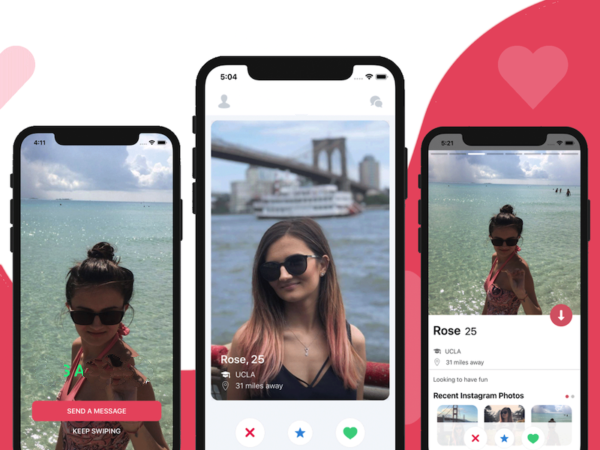
Why React Native
Using React Native lets you ship on both iOS and Android from one codebase. The template is fully customizable: you get source code, design files, and assets showcased on the product page.
1. Download the Template
Purchase and download the template to get the React Native source, Sketch design, and bundled assets. The default backend points to our Firebase account; you will swap in your own later.
2. Run the Tinder Clone on iOS and Android
Install dependencies and run on your simulator, emulator, or a plugged-in device.
- Install Node.js 10+ if you have not already.
- Open an iOS simulator or Android emulator (via Xcode or Android Studio), or use a physical device.
iOS
npm install && cd ios && pod install
Then open Instadating.xcworkspace in Xcode and run (Command + R).
Android
npm install && react-native run-android
On Windows, Visual Studio Code with its integrated terminal is an easy way to run these commands.
3. Link Your Own Firebase Account
Create a Firebase project and app. Download your config files and replace the defaults:
GoogleService-Info.plistfor iOSgoogle-services.jsonfor Android
If you need a refresher, see our React Native Firebase guide.
4. Test the App
Create a few users in the app and verify they appear in Firebase Auth and in the users collection in Firestore. Upload profile photos so swipe cards have images. Once users exist, you can swipe, match, and open the chat screen to test messaging.
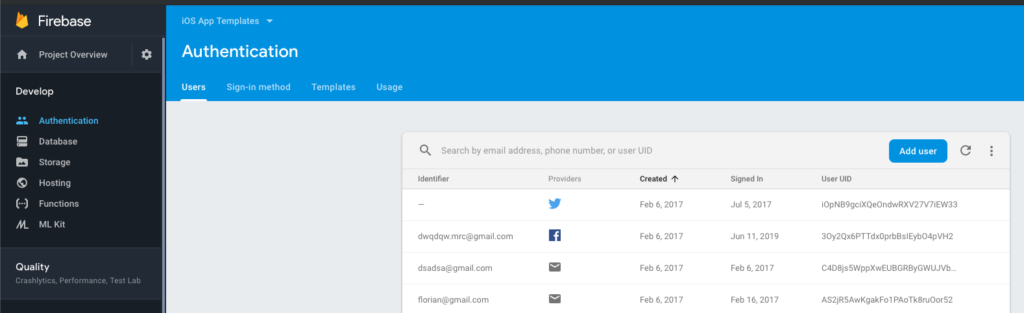
5. Customize Your Dating App
Most code lives under src. You can adjust branding, colors, and screens to make the app your own.
5.1 Change the Color Scheme
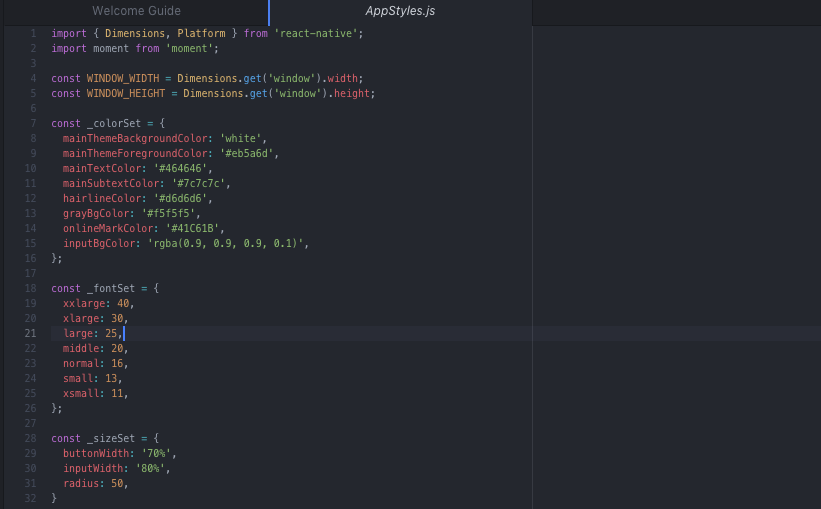
Update colors, fonts, and icons in src/AppStyles.js under the _colorSet section to match your branding.
5.2 Customize Individual Screens
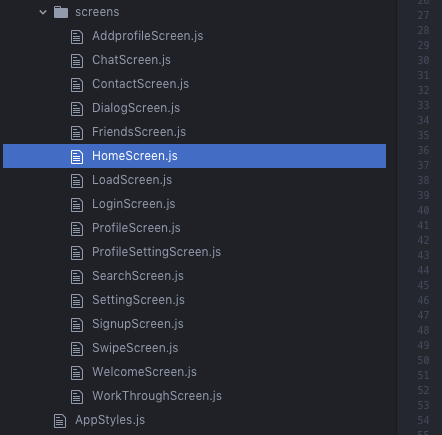
Screens live in src/screens. Tweak styles (often at the bottom of each file) or modify components as needed.
For deeper changes, you may adjust logic or hire a freelancer. The code is modular and clean, so typical tweaks are straightforward.
Ship It
You now have the template running with your backend and customizations. Build, test, and submit to the app stores. If you hit issues, reach out and we will keep this guide updated.